Control the work. Before the work begins.
Bring workflows, forms, training, SOPs, hazards and approvals together — with the right information available to the right person, exactly when and where it is required.
One PTW process. Your way.
Every organisation controls work differently. The sequence and responsibilities can be different for every company, site and type of work.
A permit to work may involve:
FactoryOS lets you build the entire process around your way of working.
And you don’t have to build everything from scratch. AI can help generate the workflow, forms, courses and SOPs required for the process — which your team can then refine and approve.
Build the control-of-work process you actually need, rather than adapting your process to a software product.
Everything the work requires — connected.
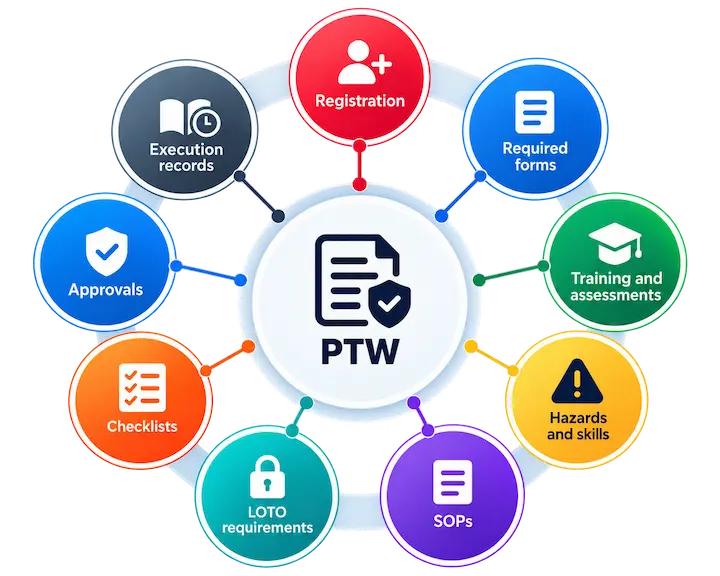
PTW becomes the place where everything comes together. A permit doesn’t exist in isolation. The workflow can bring the registration, required forms, training and assessments, hazards and skills, SOPs, LOTO requirements, checklists, approvals and execution records together — all as part of the same process.
When a person reaches a particular stage, the information and action required at that stage is already there.
No searching across systems. No switching between documents. No asking where the latest form or SOP is.
One process. One connected record. All the information in one place.
Put competency into the permit.
Authorize people based on what they are actually qualified to do. Learning is connected directly to PTW. Courses can carry hazards and skills, allowing the required competency to become part of the work authorization process.
Training completed on FactoryOS
FactoryOS can track the courses and assessments completed through the platform.
Training completed elsewhere
Licenses, certifications and training completed elsewhere can also be captured, for competency and audit purposes.
Contractors, without a full account
A controlled identity can be created without a full FactoryOS user account, so their training, assessments and PTW activity stay traceable throughout.
The permit doesn’t just ask who is doing the job. It helps establish whether they are ready to do it.
Give every person exactly what they need.
The workflow tells each person what needs to happen next.
Workers
See their required forms, SOPs and checklists.
Safety personnel
See the approvals and reviews assigned to them.
Approvers
Receive notifications and can act on pending requests.
Contractors
See the training and tasks they need to complete.
Supervisors
Can monitor progress and execution.
The same underlying process presents different information and actions to different people, based on their role and where the work is in the workflow.
Right information. Right person. Right time. Right place.
AI builds the pieces. Your team builds the standard.
Start with what you need. Describe the process or requirement, and AI can help create the building blocks:
Workflow
The sequence of actions, decisions and approvals.
Forms
Registration, risk assessment, investigation, checklists and other required data.
Courses
Training material, assessments and competency requirements.
SOPs
Step-by-step procedures incorporating equipment, hazards and controls.
Generated content can be reviewed, refined and approved before it becomes part of the PTW process. AI accelerates the creation. Your organisation defines the standard.
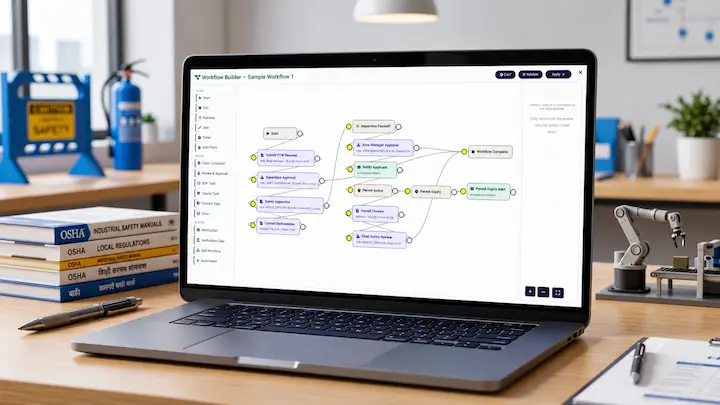
One complete record of the work.
From the first request to final closure, everything stays connected. Registration, competency, training, assessments, forms, hazards, SOPs, LOTO, approvals, checklists, execution and closure can all remain part of the same PTW journey.
- auto_awesome01
Generate
AI helps create the building blocks.
- tune02
Configure
Your team refines the process.
- workspace_premium03
Qualify
Competency is part of the permit.
- verified_user04
Approve
Approvals reach the right people.
- play_circle05
Execute
The work follows its SOPs and checklists.
- monitoring06
Monitor
Supervisors follow progress and execution.
- task_alt07
Close
Closed with the whole record intact.
Instead of piecing together information from emails, spreadsheets, paper forms and different systems, the organisation gets one complete record of the work.
Everything the work needs. Exactly where and when it is needed.
FactoryOS brings workflows, forms, training, SOPs, hazards and approvals together into one control-of-work system.