From incident to resolution.
Capture what happens. Respond quickly. Find the cause. Make sure it doesn’t happen again.
The small incidents go unreported. Until one isn’t small.
Most incidents are never reported, because reporting them is a chore. The process is cumbersome, the follow-up is manual, and so people report an incident only when it is serious.
Reporting takes effort
A form to find, details to write up, someone to hand it to. When reporting is a chore, a spill or a missing guard simply goes unreported.
Only the serious ones get through
Missing PPE, unsafe conditions and near misses are seen by many people and reported by few — so they stay invisible.
Monitoring and review are manual
Chasing updates and checking progress by hand means follow-up depends on who remembers.
Major incidents can often be avoided if the smaller ones are reported on time — before they have the chance to become a major one.
Capture it at the source, when and where it happens.
FactoryOS puts incident reporting in the hands of the last-mile worker, on the mobile device or tablet they already carry. It uses a simple interface, so that reporting an incident is as easy as spotting one.
Today
- close
Reporting is cumbersome, so it is put off or skipped - close
Only serious incidents are reported - close
Details are written up later, from memory - close
Monitoring and review are manual
With FactoryOS
- check
Reported at the source, when and where it happens - check
Within reach of every last-mile worker, not just supervisors - check
A simple interface anyone can use on a phone or tablet - check
Routed, tracked and escalated through a workflow
Small incidents, reported on time. Fewer of them become big ones.
Report it where it happens.
Not every incident starts as a major event.
Raise it from a mobile device or tablet
Anyone can raise an incident immediately, right from the workplace.
Capture it while it is fresh
No waiting for someone to reach a computer or complete paperwork later.
The easier it is to report, the harder it is for unsafe conditions to remain invisible.
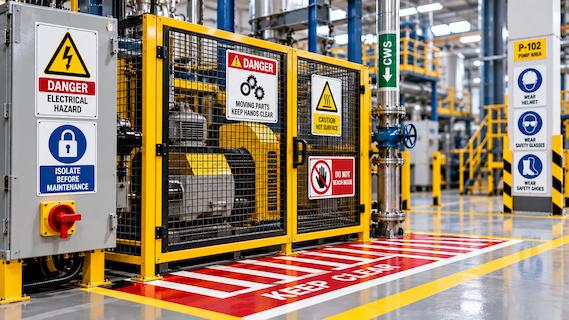
And the right people hear about it straight away.
Every incident should reach the people responsible for responding to it. When an incident is raised, FactoryOS routes notifications to the configured representatives for the relevant department and location.
Routed by department and location
Configured representatives for the relevant department and location are notified.
Notified through the system and email
Authorized people can respond quickly, assess the situation and take ownership.
Priority and severity assigned
Set by the nature of the incident, so teams focus attention where it matters most.
Right incident. Right people. Right response.
Assess, act and close.
A reported incident should never disappear into an inbox. FactoryOS provides a configurable workflow that takes an incident from creation through investigation, corrective action and closure.
- add_alert01
Report
The incident is raised at the source, where it happens.
- notifications_active02
Notify
The right people hear about it straight away.
- manage_search03
Assess
Ownership, priority and investigation.
- build_circle04
Act
Corrective actions assigned and scheduled.
- verified05
Verify
Verification tracked in the same workflow.
- task_alt06
Close
Closed with an owner, a timeline and a record.
Understand what happened
Authorized people take ownership and assess the situation. Investigation is part of the assessment: the tasks needed to understand what happened, and what needs to change, are assigned and scheduled.
- check
Investigation forms built around your own methodology - check
Root Cause Analysis, 5 Why / Why-Why and other frameworks - check
From “What happened?” to “Why did it happen?”
Turn findings into action
An incident is only truly resolved when the underlying risk is addressed.
- check
Assigned to the people responsible - check
Scheduled with clear timelines - check
Followed through to completion - check
Investigation, corrective actions and verification tracked in the same workflow
Close with accountability
The organisation defines the escalation matrix. FactoryOS makes sure the workflow follows it.
- check
Escalation rules and timelines configured in the portal - check
Incidents move to the next level when action is delayed or required - check
Every incident has an owner, a timeline and a path to closure
Don’t just record the incident. Use it to strengthen the workplace.
Investigate what really happened.
Fixing the immediate problem is only the beginning. Investigation forms can be designed around the organisation’s own methodology, including Root Cause Analysis, 5 Why / Why-Why analysis and other investigation frameworks.
AI assistance
AI can assist in creating these forms, while safety teams retain control to refine them around their own processes.
Move from “What happened?” to “Why did it happen?”
Learn, report and improve.
Every incident is an opportunity to make the next one less likely. Once the incident and its associated activities are completed, FactoryOS can generate structured reports that can be reviewed, shared and used for organisational learning.
Instead of isolated records, organisations build a traceable history.
See the risk. Respond to it. Learn from it.