FactoryOS · Digital Signage

Your screens are already there. Make them work harder.

Most plants already have screens everywhere — still fed by pen drives and playlists nobody remembers to change. FactoryOS turns them into a centrally managed communication and learning network.

hub One central console dashboard_customize Templates & playlists campaign Instant emergency alerts
The problem

The screen keeps playing. People stop watching.

When the same videos and posters run for weeks, they become part of the background — and the screens that could be guiding your floor turn into wallpaper.

hourglass_disabled

Content goes stale

Important messages stay on screen long after they stop being relevant.

usb

Updates are manual

Someone has to walk to each screen with a pen drive or a file.

connected_tv

Every screen is a separate job

Changing content across dozens or hundreds of displays is hard to manage.

notifications_off

The message gets lost

Safety learnings and alerts don’t reach people when they need the reminder.

edit_square Create event_repeat Schedule cast Publish psychology Reinforce

FactoryOS changes the model. One central console — every screen under control.

How you run your screens

Two simple ways to run your screens.

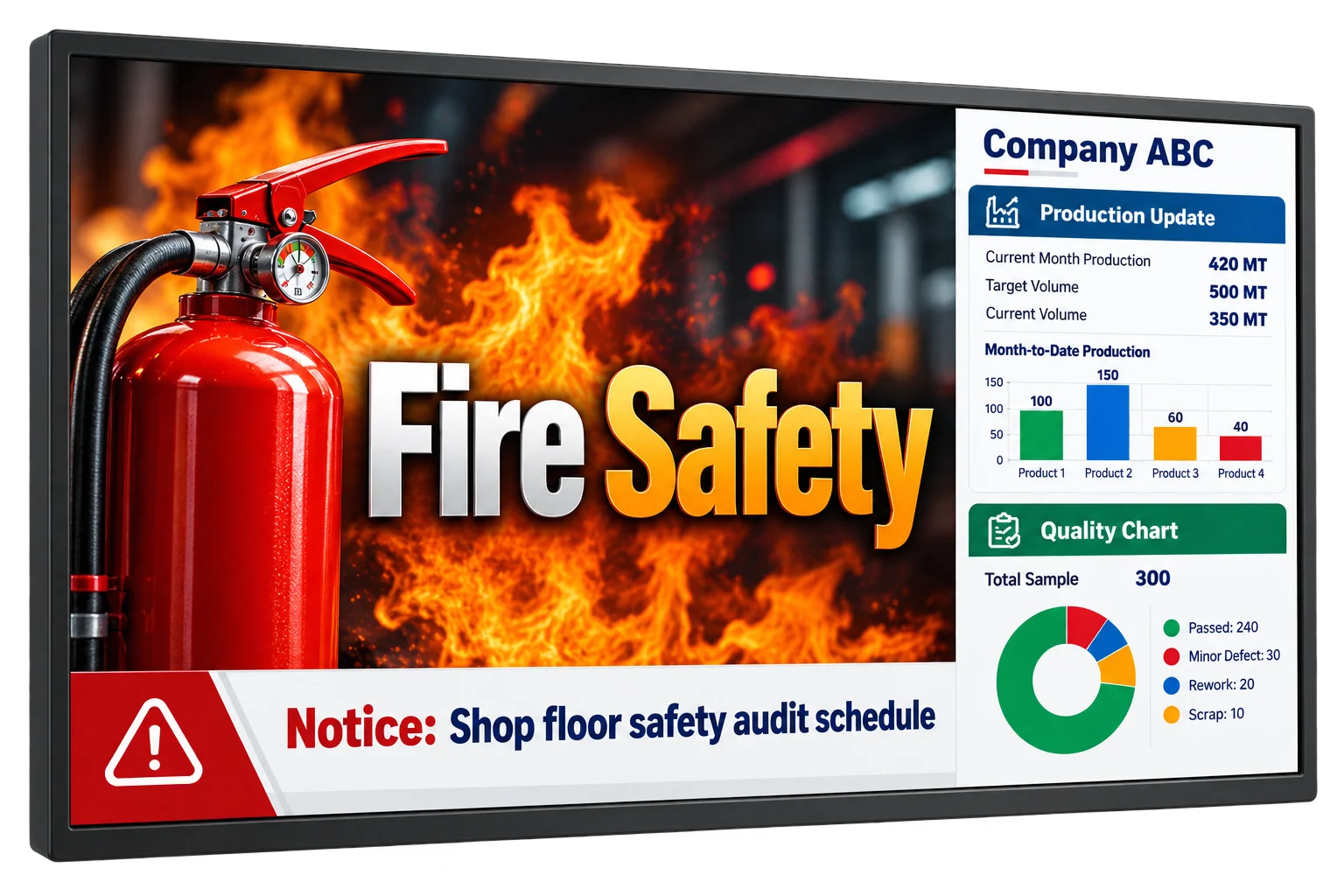
A multi-zone signage screen: a fire-safety video, a scrolling notice and a production and quality panel
01 · Templates

Build the screen you want.

Create a template and divide the display into sections — each with its own content.

text_rotation_none
Welcome messageScrolling text for visitors, leaders or events.
smart_display
Corporate contentVideos, announcements and company news.
monitoring
Safety analyticsLive or scheduled safety metrics.
image
Posters & visualsCampaigns, reminders and awareness.

Different content. Different sections. One screen.
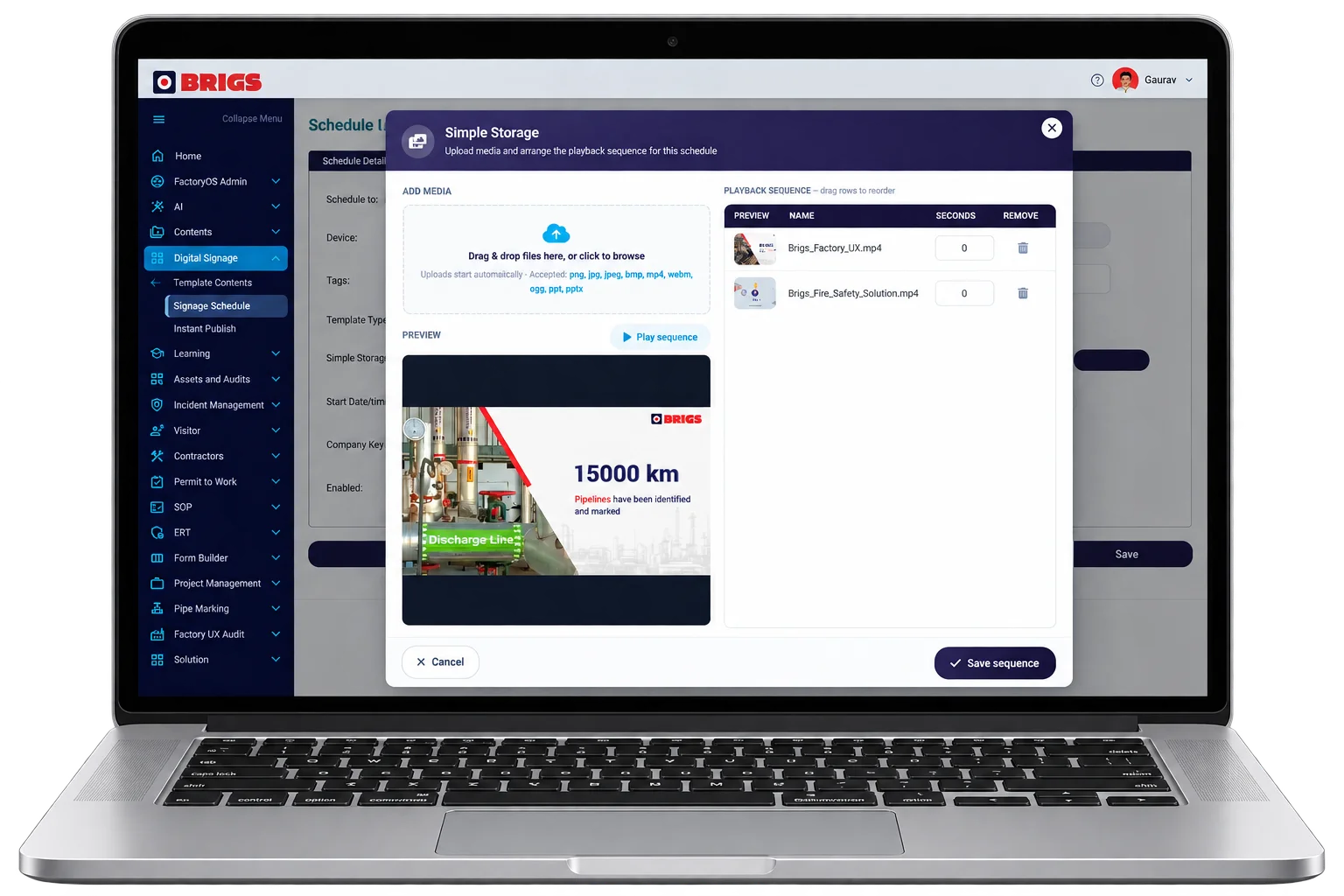
FactoryOS Simple Storage: drag and drop media files and arrange the playback sequence for a display
02 · Playlists

Or simply build a playlist.

Drag and drop your files into a playlist. Publish it once, and the display keeps playing the content in sequence.

perm_media
Videos & imagesThe media you already have.
picture_as_pdf
PDFs & documentsBulletins, notices and SOP pages.
drag_indicator
Drag to reorderChange the sequence in seconds.
repeat
Plays in a loopRuns on its own until you change it.

No pen drives. No manual replacement.

More than media

Your screen can show more than videos.

Publish custom web pages straight to your displays — and the screen becomes a window into the information that matters at that location.

event_note

Production plan

What’s running today, on this line.

trending_up

Production updates

Progress against target, as it happens.

insights

Dashboards & analytics

The numbers your team should see every shift.

map

Maps & area information

Highlighted activities and operational information for that area.

AI content

AI helps keep your screens fresh.

Good signage content shouldn’t need a designer every time. Ask AI to create a poster, safety message or announcement — as an image, an HTML page or a PDF. Your team then reviews it, schedules it and publishes it to the screens.

chat_bubble “Create a poster reminding workers about LOTO.” chat_bubble “Create a visual reminder for PPE in the welding area.” chat_bubble “Create an HTML page announcing this month’s safety theme.”
  1. auto_awesome01 · AI

    Generate

    AI creates the poster, HTML page or PDF.

  2. rate_review02 · Your team

    Review

    Check and edit it until it’s right for your floor.

  3. event_repeat03 · Your team

    Schedule

    Choose the displays and the time slots.

  4. cast04 · Your team

    Publish

    Push it live on every screen in the plan.

From idea to screen

Instead of letting your screens become digital noticeboards nobody notices, keep them fresh, relevant and connected to what is happening on your floor.

Central control

Control every display from one place.

Manage one display or thousands of them from the central console — without visiting a single screen.

schedule

Schedule ahead

Decide what plays, and when.

calendar_view_day

Multiple schedules

Different content at different times on the same display.

workspaces

Group displays

One campaign to selected locations, or to entire groups.

settings_remote

Central control

Change what any screen plays without walking to it.

When something can’t wait

Prepare once. Publish instantly when it matters.

Create an Emergency Message Template and its publishing plan in advance — for a single display or thousands of them.

When an emergency happens, the Instant Publish button on the home screen pushes the prepared message immediately.

Continuous learning

A course teaches.
A screen reinforces.

People complete a safety course today and forget parts of it months later. Signage keeps the important learning visible long after the course is over — and because content can be targeted, the right message reaches the right workers at the right location.

Training doesn’t end at course completion. Keep the learning alive.

See FactoryOS Learning arrow_outward

workspace_premium

Skills

Short reminders about critical skills and correct practice.

health_and_safety

Safety behaviours

Visual prompts that keep safe practice in view.

warning

Hazards

Location-specific hazard awareness, where the hazard is.

format_list_numbered

Procedures

The key steps from SOPs and training.

campaign

Campaigns

Safety themes that need repeated exposure.

One console. Every screen.

Make every screen part of the operation.

Your displays are already mounted across the plant. FactoryOS gives you the control to make them useful — for communication, safety, learning, analytics, alerts and operational information.

One consolefor one display or thousands.
Zero pen drivespublish and schedule centrally.
One tapto push a prepared emergency message.
Always freshAI-made content, right message, right place.